
Why Memory Compatibility (QVL) Matters More on Modern DDR5 Systems — Real-World Observations
-
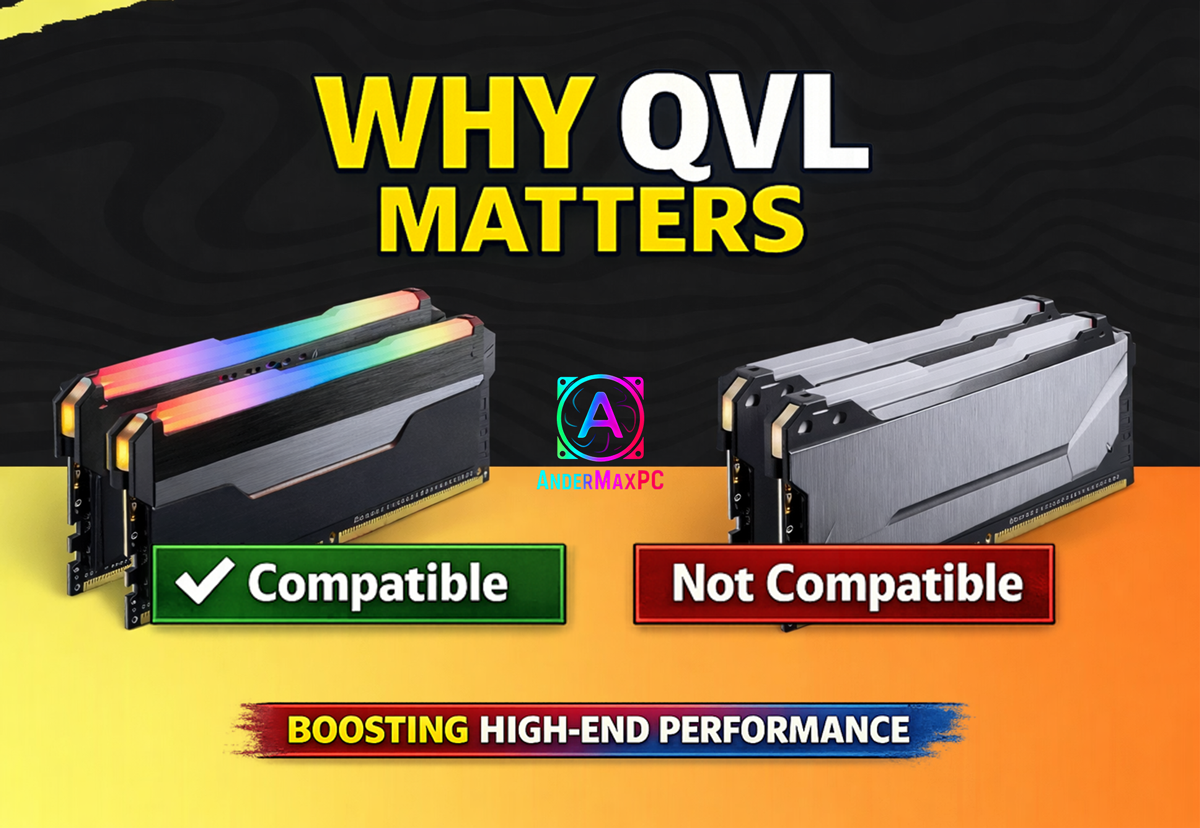
In the PC community, performance issues are often discussed in extremes — either everything works perfectly, or the system is “broken”.
However, real-world experience shows that many problems exist somewhere in between.Recently, I came across a MakeUseOf article by Gavin Phillips that described a situation many PC users will recognize.
The system wasn’t crashing. There were no constant errors.On paper, everything looked correct:
- XMP was enabled.
- Specifications matched.
- Benchmarks looked fine.
Yet, from time to time, the system behaved inconsistently:
- occasional micro-stutters
- slightly slower application launches
- inconsistent system responsiveness
and, importantly, Windows did not always properly initialize or recognize the full installed RAM capacity.
Nothing dramatic — but enough to create a constant feeling that something wasn’t quite right.
According to the author, the most confusing part was that these issues were not consistent. Stress tests passed. The system booted. Games ran. But the overall behavior never felt fully predictable.
After going through the usual troubleshooting steps — software, drivers, BIOS settings — the real breakthrough came only after reading the motherboard documentation and checking the memory QVL (Qualified Vendor List).
The RAM kit being used was not officially validated for that motherboard.
Once the memory was replaced with a QVL-listed kit, the result was immediate:
- Windows consistently recognized the full memory capacity system responsiveness became more uniform subtle performance issues disappeared
the “something is off” feeling was gone. - No additional tweaks.
- No hidden BIOS magic.
- Just proper memory compatibility.
My Own Observations from BIOS and PC Work.
This experience strongly aligns with what I’ve seen in real PC builds and BIOS-level work.
When assembling mid-range systems, memory compatibility issues may never surface in an obvious way. Many systems work “well enough” even without checking the QVL.
However, on modern DDR5 platforms, especially performance-focused builds, memory training and firmware-level behavior play a much bigger role than many users expect.
Two RAM kits with identical specifications on paper can behave very differently depending on:
- motherboard layout
- BIOS/UEFI implementation
- memory training behavior
- firmware interaction with the memory controller.
This is where QVL becomes more than just a formality.
Why These Issues Are Often Ignored?
The most problematic aspect is that these issues are subtle:
- no blue screens
- no clear error messages
- no obvious failures
As a result, users often blame:
- Windows
- drivers
- background processes
- while the root cause lies much deeper — at the firmware and compatibility level.
Final Thoughts.
The QVL does not guarantee perfection.
It does not mean other memory kits will never work.But it significantly reduces uncertainty, especially on DDR5 platforms where memory training and firmware behavior matter more than ever.
Based on both the experience described by Gavin Phillips and my own work with BIOS, firmware, and PC builds, one conclusion is clear:
Taking memory compatibility seriously is not overkill — it’s a practical approach to achieving stable, predictable real-world performance.
Related reading.
Original inspiration: MakeUseOf article by Gavin PhillipsExtended version of this discussion on Medium!
Links & Communities
Facebook Group – AnderMaxPC (Ireland):
Community for sharing PC-building experience, hardware news, and buying/selling PC hardware in Ireland.
Telegram (PC builds, BIOS, real-world tuning)
-
In the PC community, performance issues are often discussed in extremes — either everything works perfectly, or the system is “broken”.
However, real-world experience shows that many problems exist somewhere in between.Recently, I came across a MakeUseOf article by Gavin Phillips that described a situation many PC users will recognize.
The system wasn’t crashing. There were no constant errors.On paper, everything looked correct:
XMP was enabled. Specifications matched. Benchmarks looked fine.Yet, from time to time, the system behaved inconsistently:
occasional micro-stutters slightly slower application launches inconsistent system responsiveness
and, importantly, Windows did not always properly initialize or recognize the full installed RAM capacity.Nothing dramatic — but enough to create a constant feeling that something wasn’t quite right.
According to the author, the most confusing part was that these issues were not consistent. Stress tests passed. The system booted. Games ran. But the overall behavior never felt fully predictable.
After going through the usual troubleshooting steps — software, drivers, BIOS settings — the real breakthrough came only after reading the motherboard documentation and checking the memory QVL (Qualified Vendor List).
The RAM kit being used was not officially validated for that motherboard.
Once the memory was replaced with a QVL-listed kit, the result was immediate:
Windows consistently recognized the full memory capacity system responsiveness became more uniform subtle performance issues disappeared
the “something is off” feeling was gone. No additional tweaks. No hidden BIOS magic. Just proper memory compatibility. My Own Observations from BIOS and PC Work.This experience strongly aligns with what I’ve seen in real PC builds and BIOS-level work.
When assembling mid-range systems, memory compatibility issues may never surface in an obvious way. Many systems work “well enough” even without checking the QVL.
However, on modern DDR5 platforms, especially performance-focused builds, memory training and firmware-level behavior play a much bigger role than many users expect.
Two RAM kits with identical specifications on paper can behave very differently depending on:
motherboard layout BIOS/UEFI implementation memory training behavior firmware interaction with the memory controller.This is where QVL becomes more than just a formality.
Why These Issues Are Often Ignored?
The most problematic aspect is that these issues are subtle:
no blue screens no clear error messages no obvious failuresAs a result, users often blame:
Windows drivers background processes while the root cause lies much deeper — at the firmware and compatibility level. Final Thoughts.The QVL does not guarantee perfection.
It does not mean other memory kits will never work.But it significantly reduces uncertainty, especially on DDR5 platforms where memory training and firmware behavior matter more than ever.
Based on both the experience described by Gavin Phillips and my own work with BIOS, firmware, and PC builds, one conclusion is clear:
Taking memory compatibility seriously is not overkill — it’s a practical approach to achieving stable, predictable real-world performance.
Related reading.
Original inspiration: MakeUseOf article by Gavin PhillipsExtended version of this discussion on Medium!
Links & Communities
Facebook Group – AnderMaxPC (Ireland):
Community for sharing PC-building experience, hardware news, and buying/selling PC hardware in Ireland.
Telegram (PC builds, BIOS, real-world tuning)
-
Many users regularly see ads for “PC cleaner”, “system optimizer”, or “driver updater” software.
Sites like these usually promise:
• faster performance
• error fixing
• system cleanup
• “one-click” solutionsHere is the important part that is often not said clearly.
How this software actually works?
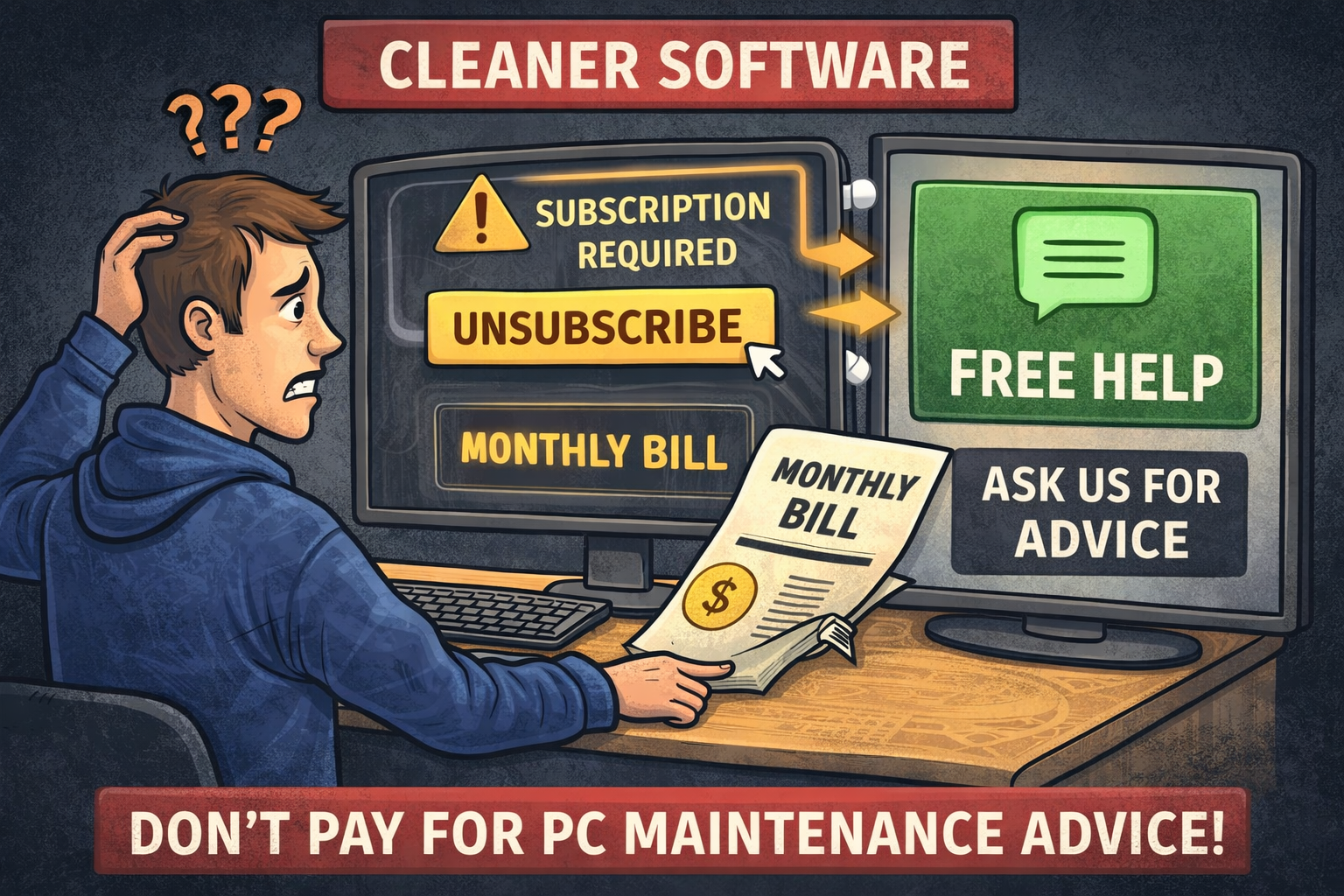
Almost all software of this type works on a subscription model.
The “free” version usually:
• scans your system
• shows a list of “problems”
• does NOT fix anythingTo actually clean or “repair” your PC, you must pay.
And payment usually means:
• monthly or yearly subscription
• automatic renewal
• recurring charges unless you cancel manuallyThis is not a bug. This is the business model.
Subscription issues are not an exception!
Complaints about:
• unexpected recurring charges
• difficulty canceling subscriptions
• refunds taking time or being deniedare very common for this category of software.
This is not unique to one website — it applies to most “PC cleaner” services.Technically, this behavior is legal.
But from a user perspective, it often leads to frustration.What you really get for the money?
In practice, these tools mostly:
• delete temporary files
• clear browser caches
• remove old logs
• run basic Windows maintenance tasksAll of this can be done:
• with built-in Windows tools
• with free, trusted utilities
• or manually, if you know what to checkThere is no “magic optimization”.
No cleaner software can:
• increase CPU or GPU performance
• fix hardware problems
• turn a slow PC into a fast one by itselfWhy we don’t recommend paying for this?
For most users, the cost-to-value ratio is poor:
• you pay every month
• you get basic maintenance
• results are often minimal or purely psychologicalIn many cases, users pay for something they could do themselves for free.
A better alternative!
If your PC feels slow or messy, you do NOT need to buy a subscription.You can:
• ask questions on this forum
• describe your problem
• get clear, step-by-step advice
• clean and optimize your system without spending moneyWe can recommend:
• free tools
• safe Windows settings
• what NOT to touch
• and when cleaning is actually unnecessaryNo subscriptions. No recurring payments. No marketing tricks.
Final note:
Paid “PC cleaner” software exists because it sells well — not because it is essential.
Before paying monthly fees, always ask:
“What exactly am I paying for?”In many cases, the honest answer is:
“Something I don’t really need.”
-
In recent months, the second-hand GPU market has become significantly more dangerous.
We are now dealing not just with misleading listings or bad refurbishments, but with fully fake RTX 4080 and RTX 4090 graphics cards.These are not theoretical cases.
These are real cards that end up in repair shops.What is actually happening!
Multiple confirmed repair cases show the same pattern:
• the card is sold as RTX 4080 or RTX 4090
• the PCB and cooler look authentic
• the card may look brand new externally
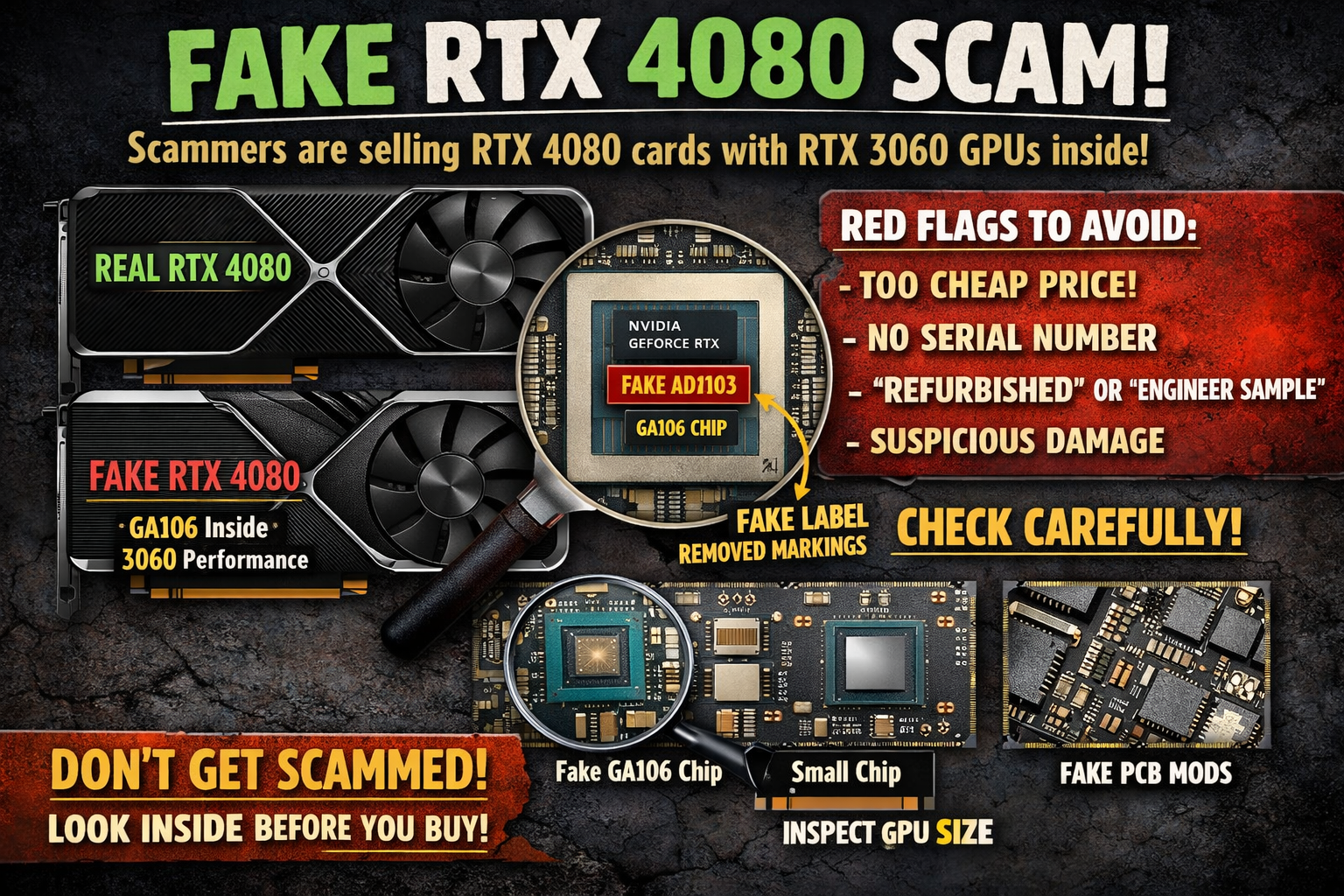
• but internally it is not an Ada GPU at allInstead of AD103 (RTX 4080) or AD102 (RTX 4090), scammers solder:
• GA106 chips (used in RTX 3050 / RTX 3060)
• sometimes recycled or partially damaged GPUs
• with removed original markings and fake engravingsIn many cases, the GPU die is manually re-marked to look like an AD103 or AD102.
Important detail most buyers don’t expect!
A large number of these fake RTX 4080 / 4090 cards DO NOT WORK AT ALL.Typical scenario:
• the card looks normal externally
• fans spin
• RGB may light up
• but there is NO IMAGE
• no POST, no display outputThe buyer often assumes:
“Dead GPU, unlucky purchase.”The card is then taken to a repair shop, where the truth is discovered:
• wrong GPU inside
• incompatible PCB
• fake or mismatched memory layout
• impossible or pointless repairAt this stage, refund is usually impossible.
Why this scam works!
This scheme relies on several assumptions buyers make:
• external appearance = authenticity
• GPU-Z and drivers = reliable identification
• “dead card” = random failure, not fraudAll of this is wrong.
A modified BIOS can:
• report RTX 4080 / 4090 correctly
• load drivers
• mislead software toolsAnd if the card does not output image at all, the buyer may never suspect a fake.
Common red flags you must not ignore!
If you see ANY of these signs, stop immediately:• price far below market value
• “refurbished”, “engineer sample”, “open box” explanations
• no clear serial numbers
• damaged or previously repaired PCB
• seller refuses detailed photos
• sold as “not tested” or “no display”“No display” on a modern high-end GPU is a massive red flag.
Why software checks are not enough!
Software tools cannot verify:
• physical GPU die size
• substrate layout
• memory bus wiring
• real chip originOnly physical inspection can confirm authenticity.
How fake cards are identified in repair labs
Professionals confirm fakes by:
• comparing GPU die size (GA106 is much smaller than AD103/AD102)
• inspecting substrate and SMD layout
• checking memory configuration and bus width
• matching PCB revision with known originalsIf you cannot do this yourself, avoid risky sources.
Community request – please read
If you have encountered fake RTX 4080 or RTX 4090 cards, especially cases with:
• no image output
• dead-on-arrival GPUs
• cards later confirmed as fake in repair shopsPlease share your experience here:
• where you bought the card
• what model it was sold as
• what symptoms it had
• how the fake was confirmedEven short comments help.
Real user cases protect others better than any warning.Final advice
High-end GPUs are now prime scam targets.
Being cautious is not paranoia — it’s necessary.If the deal looks too good, it usually is.
Stay alert, share information, and help keep the community informed.